Private Beta · TestFlight

RISE AI

Command

Private, on-device AI for the things that matter to you

RISE AI Command — a private, on-device AI for iPhone and iPad. Think faster, plan your week, save ideas to a local inbox, turn any conversation into a clean PDF, and keep it all on your device — under your control.

Local-first Operator Profile PDF Export Searchable Sessions No RISE Server No Account No Analytics
Request TestFlight Access → Explore Features →
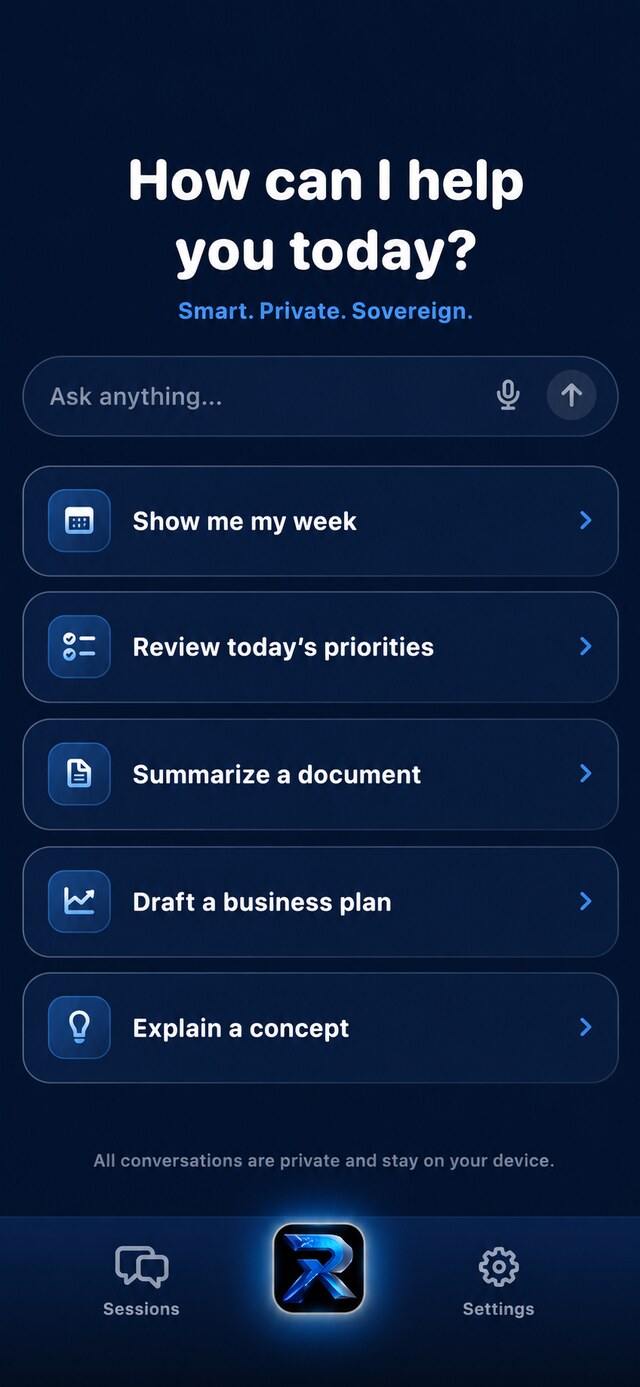
RISE AI Command home screen — Ask anything composer with smart-prompt cards
What is RISE AI Command?

A private AI that actually helps.
Yours, on your device.

RISE AI Command is a private, personal AI for everyday life and work — planning your week, thinking through a decision, drafting a client follow-up, saving ideas before they slip away, and turning any conversation into a clean PDF. All without handing your information to a cloud account.

Pick a Mode for the kind of help you need. Pick a Style for how the answer sounds. Built to think things through with you — clearly, and on your terms.

RISE AI
PDF
Local-first Profile: On Style: Direct
Help me think through this decision privately.
RISE Start with the real constraint, not the noise. Write down what has to be true, what can wait, and what actually moves this forward today. Then pick the smallest next step you can finish.
Ask RISE…
Why RISE AI Command

Not another chatbot. A private place to think, plan, and follow through.

Three things that make RISE different from the AI apps and note-taking tools you already know.

RISE helps with the everyday things that usually get scattered across chats, notes, and reminders — client follow-ups, personal decisions, family planning, saved context, and clean PDF exports — while keeping your data on your device.

Generic AI chat

Conversations and notes kept on your device, organized so you can actually find them again.

Cloud AI tools

No RISE backend, no account system, and Apple Intelligence on-device when available.

Note-taking apps

Designed to think with you — not just store what you typed.

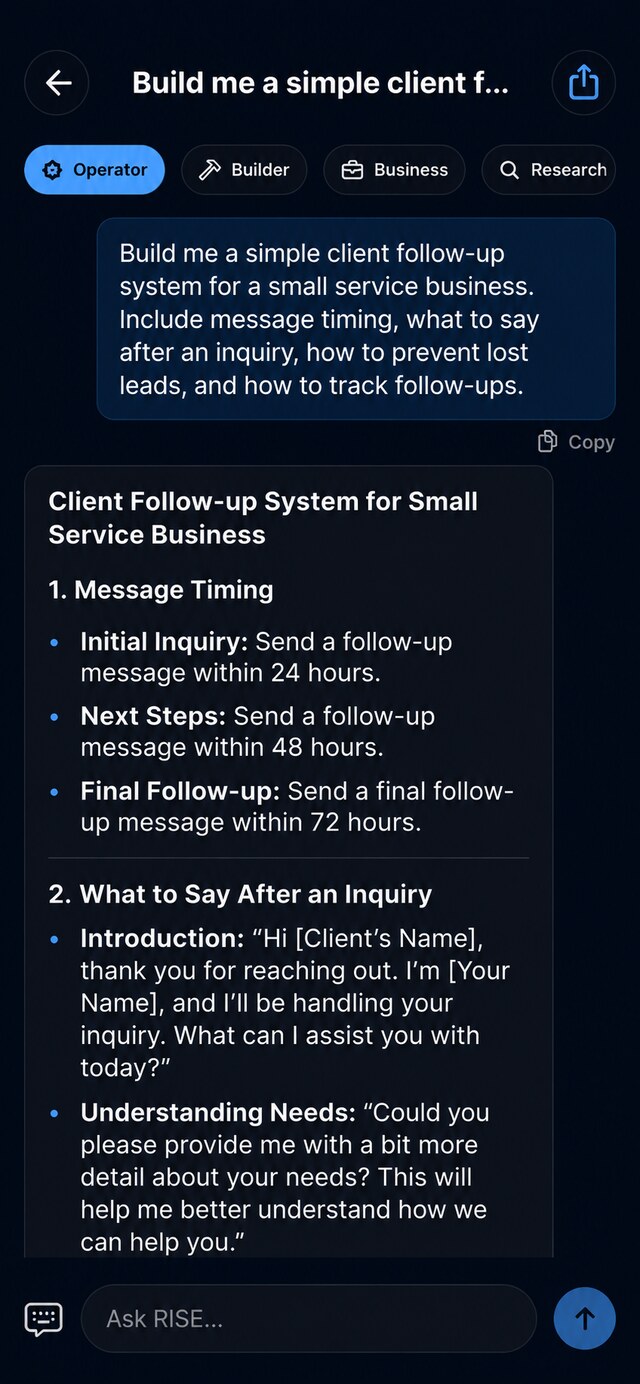
RISE AI Command chat reply rendered in clean Markdown
Real output

Answers you can actually use.

On-device replies from Apple Intelligence, rendered in clean Markdown — headings, lists, and structure you can read at a glance. Pick a mode, set a style, and get working output you can copy, remember, or export.

📝
Markdown rendering

Headings, bold, italic, code, and bullet or numbered lists with real spacing.

🎯
Six modes · four styles

Operator, Builder, Business, Research, Personal, Quick — shaped by Balanced, Direct, Skeptical, or Minimal.

📋
Copy & Remember

Copy any reply, or save it into local Memory in a single tap.

Inside the build

An app you'll actually want to open.

Dark, fast, and genuinely pleasant to use. These are real screens from the app today.

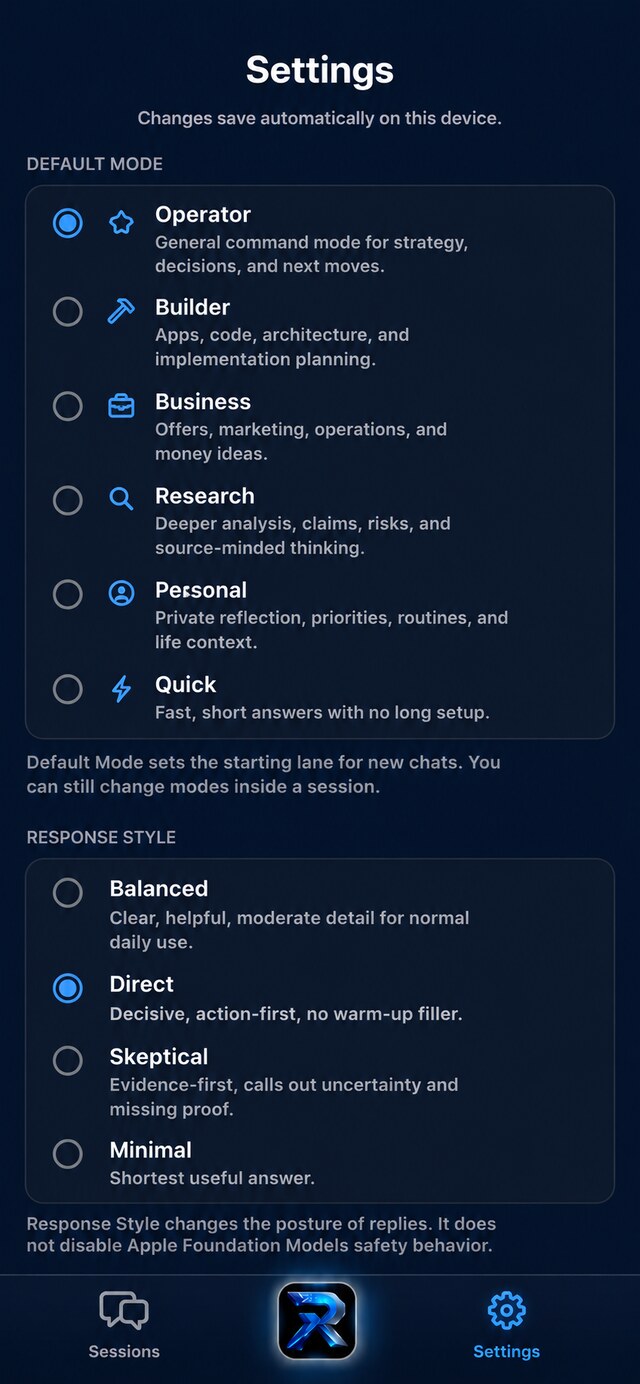
RISE AI Command Settings — modes and response styles Modes & Styles
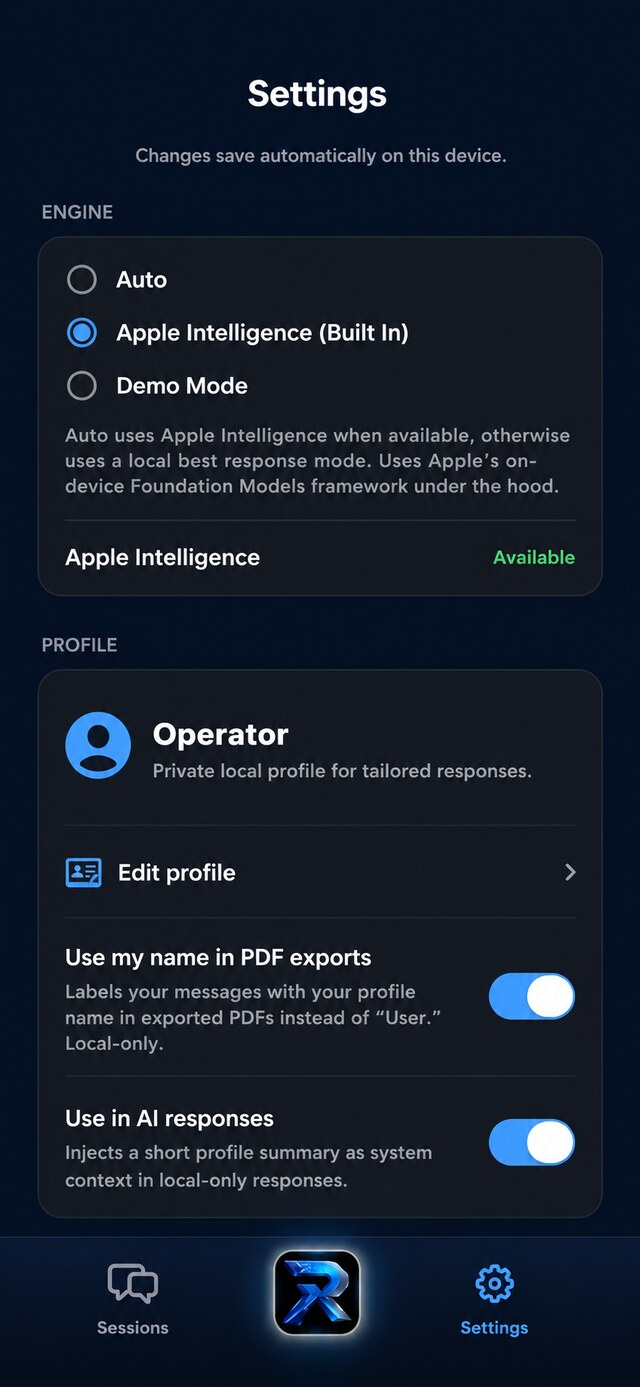
RISE AI Command Settings — engine and Operator Profile Operator Profile
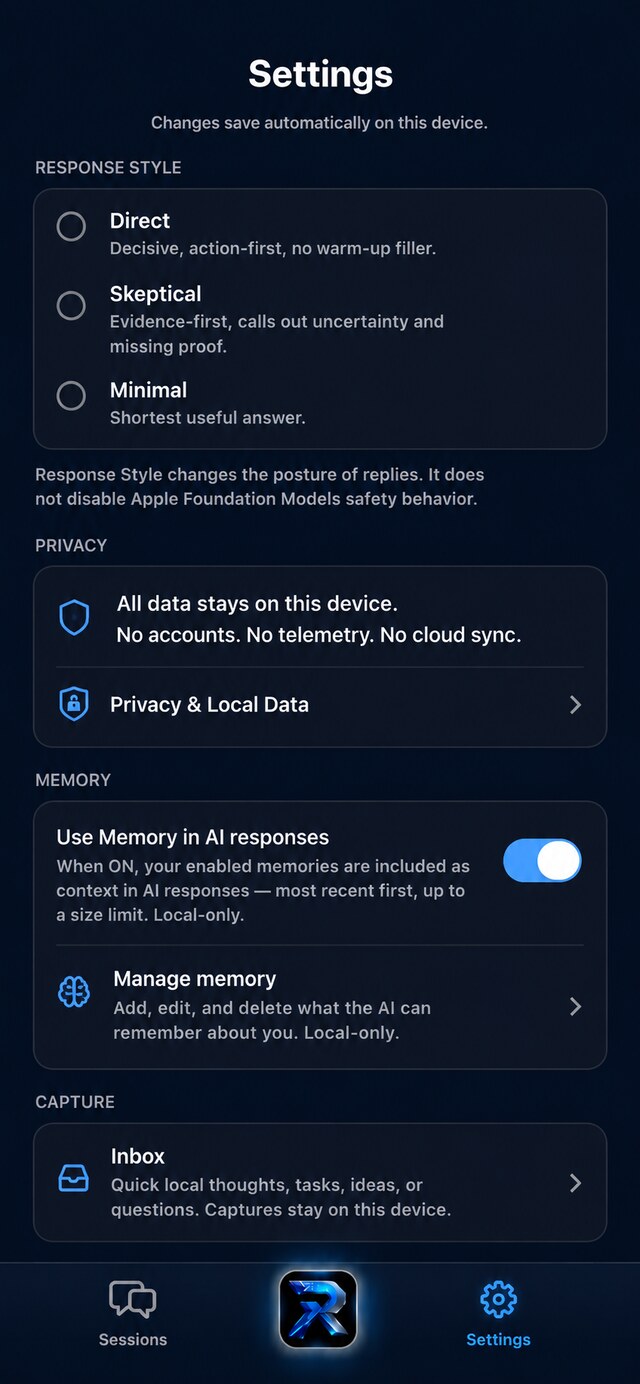
RISE AI Command Settings — privacy, local memory, and local capture inbox Privacy & Local Data
Core features

Polished and ready from the first tap.

Everything below works in the app today — nothing here is a promise for later.

🛰️
Home base

Your private AI, in one place

  • Fast chat sessions
  • Session history
  • Local storage
  • Organized to fit how you actually work
  • iPhone and iPad support
🍎
On-device

Apple Intelligence

  • Powered by Apple Intelligence on supported devices
  • Demo Mode fallback on unsupported devices
  • Verified on iPhone and iPad
  • Designed around privacy-first local behavior
🧭
Personal context

Operator Profile

  • Local editable profile
  • Personalizes responses
  • Toggle profile context on or off
  • Reset or clear profile
  • No cloud profile storage
💬
Chat UX

Readable, clean sessions

  • Markdown rendering
  • Headings, bullets & numbered lists
  • Copy reply
  • Copy full transcript
  • Clean session previews
  • Typing indicator & dark-mode bubbles
📄
Export

Save any conversation as a PDF

  • Per-session PDF export
  • Export PDF directly from the Sessions list
  • Multi-page transcript pagination
  • Print-friendly formatting
  • Markdown-aware PDF rendering
  • Local-only until you choose to share
🔒
Privacy

Yours by default

  • No RISE backend
  • No account system
  • No analytics layer
  • No third-party AI API
  • No cloud sync (unless added later)
🧠
Memory

Memory v1

  • Local memory context for AI responses
  • You control what RISE remembers — explicit-add only
  • Add, edit, and delete what RISE remembers
  • Local-only — stays on your device
📥
Capture

Quick capture, local inbox

  • Save notes, tasks, ideas, and questions
  • Text capture available today
  • Stays on your device — local-only
  • Screenshots and document capture are planned
🗂️
Sessions

Your sessions, organized

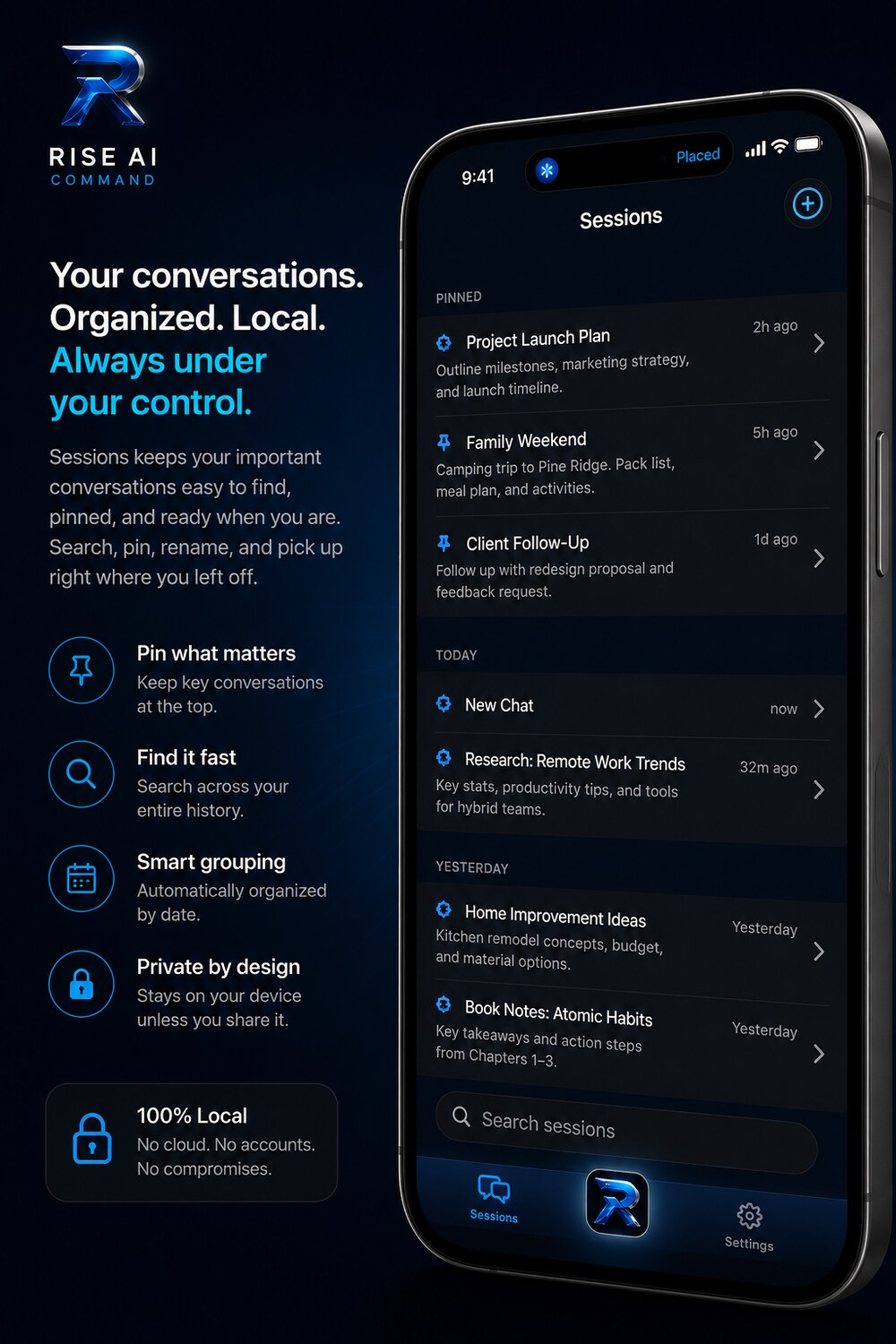
  • Search across every session
  • Jump to matched message
  • Pin priority sessions to the top
  • Rename sessions for fast recall
  • Date-grouped for natural scanning
  • Clear all local data on demand
  • Export PDF directly from the Sessions list

Best experienced on Apple Intelligence-capable iPhone and iPad models.

RISE AI Command Sessions — pinned, searchable, and grouped by date (Family Weekend, Client Follow-Up, and more), all kept on your device
Modes

Modes for whatever you're working on.

Pick a Mode, and RISE adjusts how it helps.

🎯

Operator

Your default — direct strategy, planning, and clear next steps.

🔨

Builder

For making things — project planning, app and product development, and technical detail.

💼

Business

Offers, marketing, operations, revenue ideas, and practical growth.

🔍

Research

For digging in — weighing evidence, spotting contradictions, and thinking through the details.

👤

Personal

Private thoughts, routines, decisions, priorities, and grounded support.

Quick

Short, decisive answers with no long setup.

Response styles

Choose how the answer sounds.

Mode controls the kind of work. Response Style controls how the answer sounds.

Balanced

Clear, professional, useful, and moderate.

Direct

Action-first, decisive, no-fluff.

Skeptical

Evidence-first, uncertainty-aware, contradiction-hunting.

Minimal

Shortest useful answer.

Response Style shapes posture — it does not disable Apple Intelligence safety behavior.
Export system

Turn any conversation into a clean PDF.
Yours to keep or share.

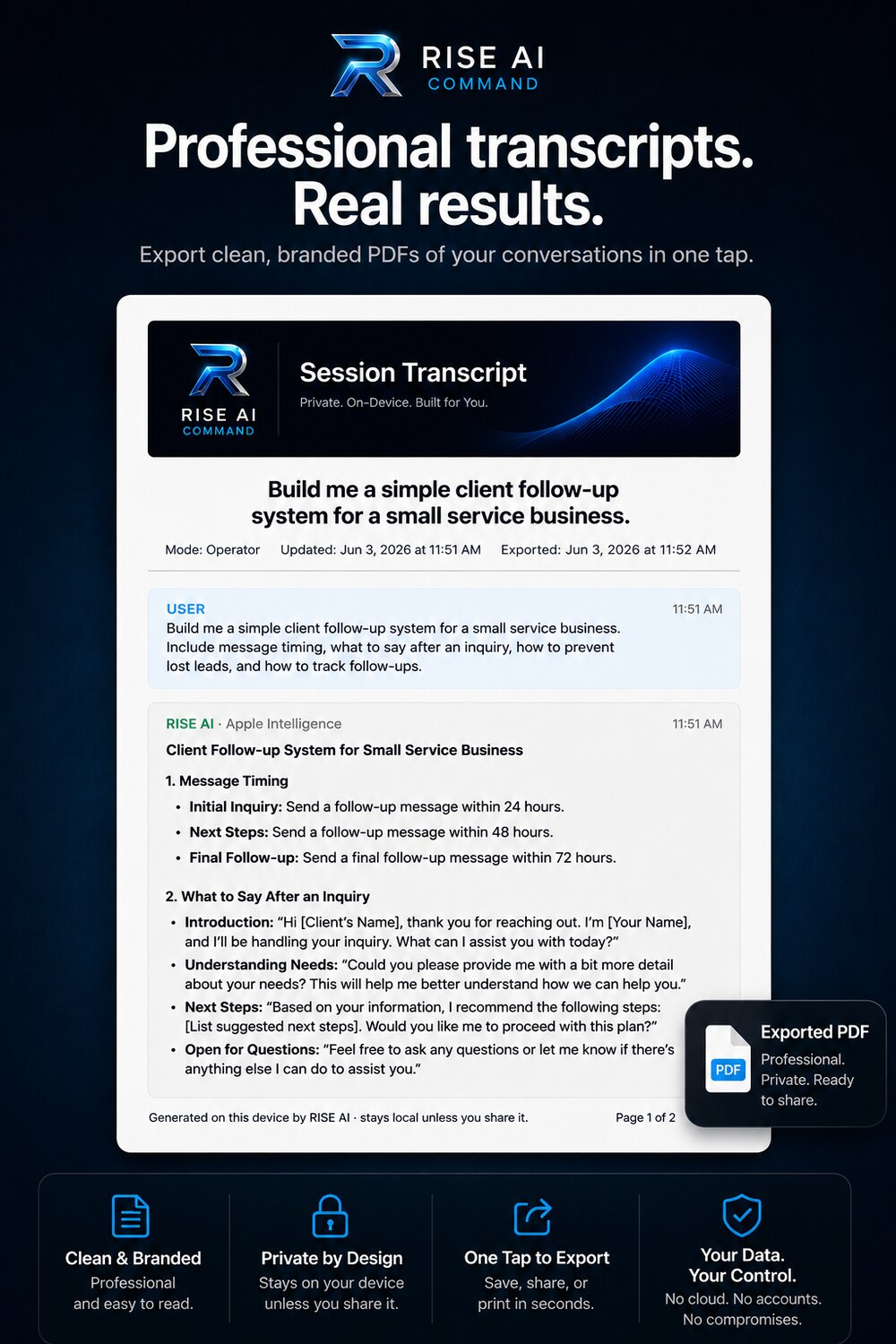
Turn any conversation into a clean, paginated PDF — formatted for reading or printing, stored locally until you decide to share it.

Per-session PDF export
Export PDF directly from the Sessions list
Multi-page transcript pagination
Markdown-aware rendering
Print-friendly formatting
Local-only export by default
RISE AI Command — export any conversation as a clean, branded, professional PDF
Build progress

Already built and working.

Real milestones — not a wish list.

Core app complete
Persistent chat sessions complete
Apple Intelligence verified
Operator Profile complete
Privacy notice complete
Modes complete
Response Styles complete
Markdown chat rendering complete
Copy reply complete
Clean session previews complete
Multi-page PDF export complete
Clear All Sessions complete
Session Search complete
Session Pinning complete
Copy Transcript complete
Export PDF from Sessions complete
Session Rename complete
Session Date Grouping complete
Jump to matched message complete
Memory v1 complete
Privacy posture

On your device. Under your control.

RISE AI Command is built around local-first behavior. Your sessions, profile, settings, and saved context live on your device. There is no RISE backend, no account system, no analytics, and no third-party AI API. When available, RISE AI Command uses Apple Intelligence, powered by Apple's on-device Foundation Models runtime, to generate responses on supported devices.

In practice: your sessions live on the device, your account is the device, and Apple Intelligence runs on-device when available.

Stored on device No RISE server No account No analytics No third-party AI API No cloud sync (unless added later)
🔐 Read the full Privacy Policy →
🚀
Private beta

Private Beta Is Live.

RISE AI Command is in private beta on iPhone and iPad via TestFlight. Private beta is live by request — the current focus is reliability, privacy posture, and real-world usefulness before public App Store release.

  • Private beta is live via TestFlight — available by request
  • Testers are helping us refine how it works in real, everyday use
  • Reliability and privacy posture come first
  • Public App Store release is not yet live

Requires iOS/iPadOS 26 and Apple Intelligence support for on-device AI. Demo Mode is available on unsupported devices.

Planned pricing Planned · billing not yet live

RISE AI Command Pro — expected at launch.

This is the planned pricing direction for launch. Subscriptions are not active yet and nothing is being billed. When enabled, billing will run entirely through Apple's App Store / StoreKit.

Free trial
5 days
Full access while you try it. No permanent free tier.
MONTHLY
Pro Monthly
$5.99 /mo
RISE AI Command Pro, billed monthly.
BEST VALUE
Pro Annual
$49.99 /yr
Optional launch intro: $39.99 first year, then $49.99/yr.
No permanent free tier · No lifetime purchase · Billing handled by Apple's App Store / StoreKit · Prices subject to change before launch.
FAQ

Good to know.

Quick answers on devices and how RISE AI Command behaves.

Device compatibility

What devices does RISE AI Command support?

RISE AI Command is built for iPhone and iPad running iOS/iPadOS 26. On-device AI replies require Apple Intelligence — Apple's Foundation Models runtime. Devices without Apple Intelligence support can still explore the app in Demo Mode, a deterministic local fallback that does not send anything to a server.

Future & exploration

No bloat. Earned features only.

These are exploratory directions — not shipped, and not promised. RISE AI Command gets proven in real daily use first, then expanded based on what actually matters. Labels below show how far along each idea is.

Future items are under exploration only. Any future cloud, account, analytics, memory, meeting, or sync capability would be documented here and in the Privacy Policy before it ships.